 PSP Emulator
How to Install a PSP Emulator on Android (Step by Step)
From downloading the APK to launching your first game: the full Android setup, including the permission screens that confuse most people.
Read fullA PSP Emulator lets you play PlayStation Portable games on the phone, tablet or computer you already have. PPSSPP is the free, open-source PSP Emulator that runs most of the PSP library in sharp HD, with save states, controller support and online multiplayer.
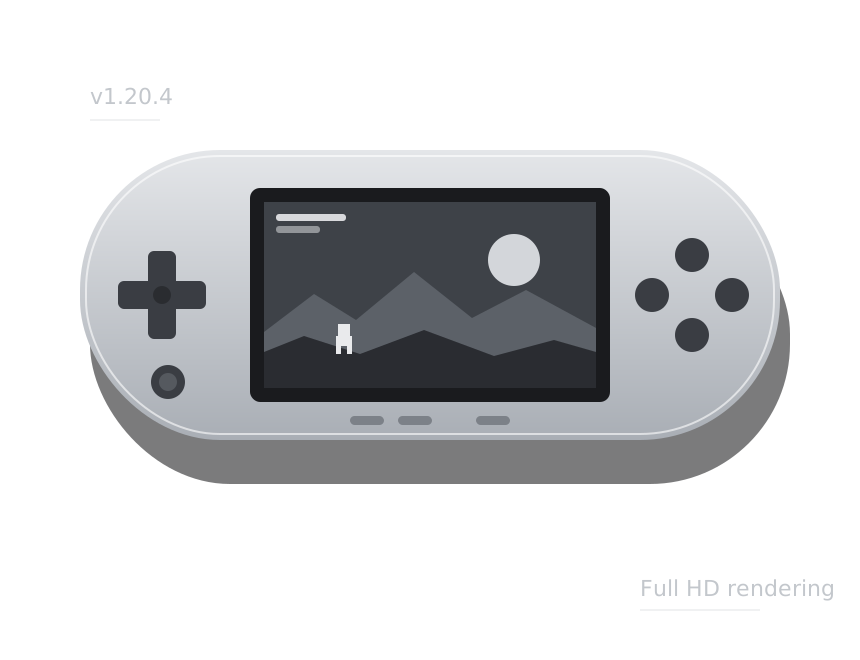
PPSSPP 1.20.4 is a free, open-source PSP Emulator for Android, Windows, macOS, Linux and iOS. It lets you play compatible PlayStation Portable games on modern phones, tablets and computers with improved resolution and performance options.
This PSP Emulator supports HD rendering, save states, external controllers, texture enhancements and multiplayer features. The files provided here point to the official PPSSPP releases, so you can use the original builds published by the emulator developers.
For Android, PPSSPP is available as a 64-bit APK for Android 10 or newer. Windows uses a portable ZIP, macOS has builds for Intel and Apple Silicon, Linux uses an AppImage, and iOS supports an IPA for sideloading. PSP games are not included with the emulator.
Download for AndroidFree, about 24 MB for Android. Games are not included. Released May 16, 2026.
A PSP Emulator is software that recreates the PlayStation Portable, so its games run on the phone, tablet or computer you already own. PPSSPP is the most widely used one, and it is free.
The emulator translates the PSP's processor instructions and graphics commands into code your device understands, in real time. Your phone or PC behaves like the original handheld.
Modern devices are many times faster than the 333 MHz PSP. That extra power is used for higher resolutions, smoother textures and save states the original never had.
PPSSPP uses high-level emulation, which recreates the system functions in software. There is no firmware file to find and no complicated setup before you can play.
Discs scratch and memory sticks fail. A backup on your device can be copied and stored in the cloud, and saves move freely between your phone and PC.
The PSP received more than a thousand games across action, racing, RPG and rhythm genres. Most of them are fully playable in the emulator today.
We are an independent guide. We link only to official files and write clear, tested instructions for every platform the emulator supports.
The emulator does more than run games. These are the features that make it worth using over the original hardware, even if you still own a PSP.
Render 3D scenes at up to ten times the original 480 by 272 resolution, so edges are clean and text is readable on any screen.
Save states capture the exact moment you stop. Combine them with normal in-game saves and you will never replay a section again.
Rearrange the on-screen buttons, or connect an Xbox, DualSense, DualShock or generic Bluetooth controller and map every input.
Texture upscaling, anisotropic filtering and post-processing shaders make the original artwork look clean on large displays.
Ad hoc wireless play works over the internet through community servers, with a relay mode that avoids router setup.
Developed in the open under the GPL 2.0 license since 2012, with no ads inside the emulator and frequent updates.
The PSP Emulator is light by modern standards. Use this table to see what to expect from your device. Heavier 3D games need more power than 2D titles.
| Platform | Minimum | Recommended | What to expect |
|---|---|---|---|
| Android | Android 10, 64-bit, 3 GB RAM | Snapdragon 7-series or similar, 6 GB RAM | Most games at 2x to 3x resolution |
| Windows | Windows 10, dual-core CPU, OpenGL 3 graphics | Quad-core CPU, any Vulkan graphics card | 1080p to 4K with upscaling |
| macOS | macOS 10.13 or newer | Apple Silicon Mac | Smooth HD in nearly all games |
| Linux | x86_64 with OpenGL 3 | Vulkan-capable GPU and drivers | Same as Windows |
| iOS | iOS 12 or newer | iPhone 11 or newer | HD rendering, App Store or sideload |
Storage needs depend on your library. The emulator itself takes around 100 MB once installed, while each game usually needs 200 MB to 1.8 GB. Compressed CSO and CHD files can cut that by a third or more.
Setup takes about five minutes on any device. Follow the steps for your platform. macOS and Linux work the same way as Windows: extract the download and open the app.
Tap the download button above. The file saves to your Downloads folder.
Open the file and allow installs from your browser when Android asks.
Create a PSP/GAME folder and copy in ISO or CSO files from games you own.
In the Games tab, select your folder and pin it for quick access.
Tap a game to start, then raise the resolution if it runs smoothly.
Pick Windows in the download list. The portable build needs no installer.
Right-click the zip, choose Extract All and keep the folder somewhere permanent.
Run PPSSPPWindows64.exe. If SmartScreen appears, choose More info, then Run anyway.
Connect a controller or set keyboard keys under Settings, Controls.
Browse to your games folder and set the resolution to 4x for a 1080p screen.
The default settings are sensible, but a few changes make a big difference. Start with the profile that matches your device, then adjust one option at a time while watching the FPS counter.
Keep the load light and prioritize full speed.
Plenty of headroom for sharper visuals.
Good HD results with modest settings.
Push the image as far as your display allows.
Still seeing slowdowns? Our guides on settings for low-end phones and fixing lag and crashes go into each option in detail.
Years of development mean the vast majority of PSP games are playable from start to finish. A small number still have minor issues, which each release continues to reduce.
Most of the library, including the big action, racing, fighting and RPG titles, runs without problems at full speed on capable hardware. Many look far better than they ever did on the original screen.
Some games show small graphical glitches, such as a missing effect or a flicker in one menu. They remain playable, and a per-game setting change often fixes the problem entirely.
A handful of titles have harder problems that developers are still working on. Keeping the emulator updated is the easiest way to benefit from new fixes as they arrive.
File formats supported include ISO, CSO, CHD and PBP, and recent versions can extract an ISO directly from a 7z archive. Free homebrew games and apps made for the PSP also run, which is a good way to test the emulator before you back up your own collection.
Step-by-step articles for getting the most out of your PSP Emulator, from first install to online multiplayer.
From downloading the APK to launching your first game: the full Android setup, including the permission screens that confuse most people.
Read full
A PC turns the PSP library into crisp HD games. Here is how to unzip, configure and tune PPSSPP on Windows 10 and 11.
Read full
Budget phone, choppy games? These setting changes make the biggest difference, in the order you should try them.
Read fullQuick answers to what people ask most about downloading, setting up and playing on a PSP Emulator.
Yes. Emulators are legal software, and PPSSPP is open source under the GPL 2.0 license. What matters is where your games come from: play backups of games you own or free homebrew titles, and do not download commercial games you have not bought.
PPSSPP is the most complete and actively developed PSP emulator. It runs on Android, Windows, macOS, Linux and iOS, plays the large majority of the PSP library and receives regular updates. That is why it is the emulator we recommend and link to.
No. The emulator comes without any games. You can make ISO or CSO files from UMD discs you own, use digital games from your own PSP, or try free homebrew games made by the community.
No. PPSSPP uses high-level emulation, which recreates the PSP's system functions in software. You do not need a BIOS or firmware file from a real console to start playing.
The latest Android build needs a 64-bit phone with Android 10 or newer. Most phones from the last five years qualify. Older or 32-bit devices can use an earlier release with fewer features.
The button links straight to the official files: the APK from the PPSSPP website and the desktop builds from the project's official GitHub releases. We do not repackage, wrap or modify anything.
They are the same emulator with the same features. Gold is a paid version that exists to support the developers and has a different icon. The free version is fully functional.
The most common reasons are a rendering resolution that is too high, texture upscaling on a weak device or the wrong graphics backend. Lower the resolution, turn off upscaling, try Vulkan and OpenGL in turn and enable the FPS counter to measure the effect.
Yes. Copy the game's folder from PSP/SAVEDATA on your console's memory stick into the same folder in the emulator. Saves made in the emulator can be copied back the same way.
Yes. The emulator supports the PSP's ad hoc multiplayer through community servers and a relay mode that works behind most home routers. Every player should use the same emulator version and game version.